A Linux system of its own for the Anbernic RG DS+

Two screens. Five seconds. Your games.

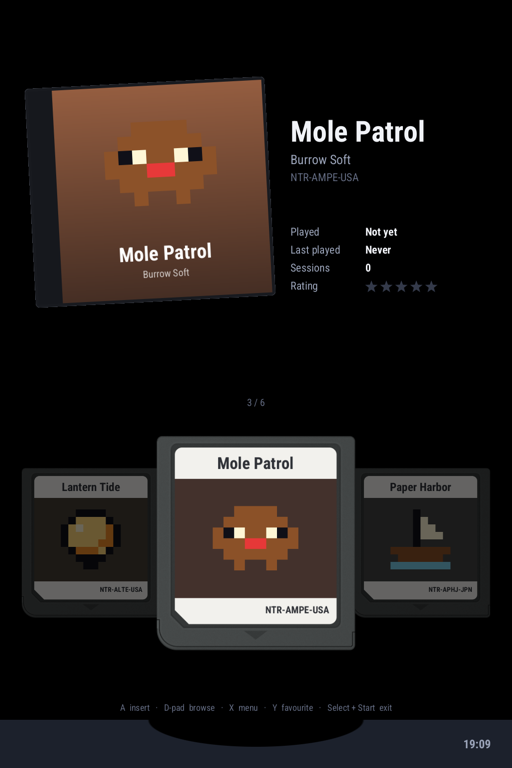
Mainline Linux, Arch Linux ARM and DSlot, a game shelf made for the clamshell. Press power, and your carts are waiting over the slot.

Download 0.1.0-alpha1 How to install

Alpha Released 2026-10-25. It works, and it's new: read what isn't finished.

  • 0.65sfrom reset to the kernel
  • 1.5sto a picture on both screens
  • ≈5sto the game shelf
  • 18systems, one menu
  • Nintendo DS
  • Game Boy Advance
  • Game Boy
  • Game Boy Color
  • SNES
  • NES
  • Famicom Disk System
  • Mega Drive
  • Master System
  • SG-1000
  • Game Gear
  • PC Engine
  • PC Engine CD
  • PlayStation
  • Atari Lynx
  • Neo Geo Pocket
  • WonderSwan
  • Game & Watch
  • PortMaster ports

The shelf

Push a cart into the slot

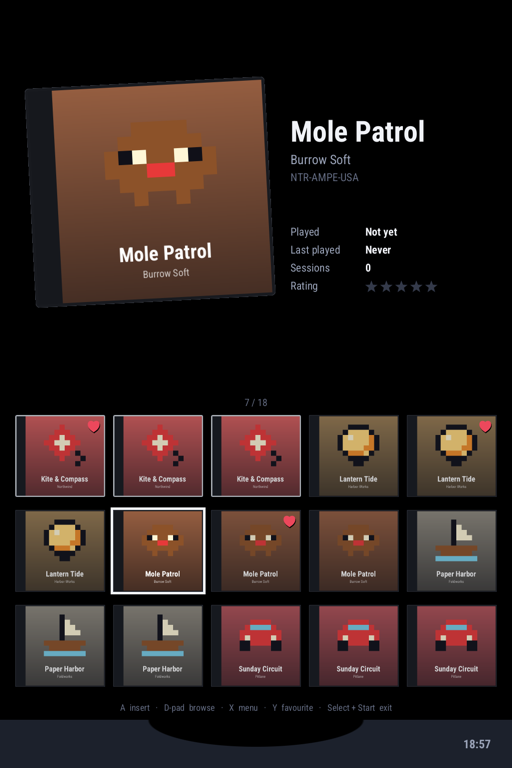
Your games as carts over a card slot on the touch screen, their boxes, play time and ratings on the top one. Or a cover grid, or a list: flick it and it glides. A page for each system, a picker on Select, and a card for every console, with its history and cited facts.

Tour the shelf

One menu

Every emulator, the same buttons

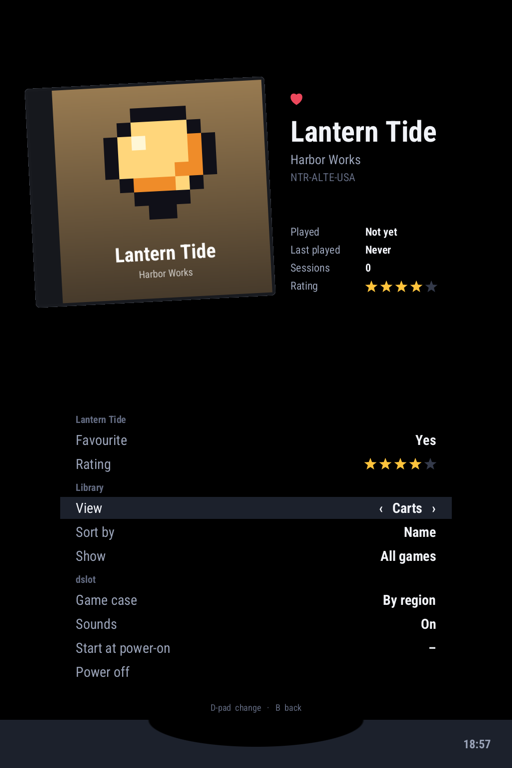
Back opens the menu, Menu saves and takes you home, and the next start carries on where you left off. Six save slots with pictures, settings per game or per system, Wi-Fi and Bluetooth: the same menu in DSlot, DSperate, inkdot, nibcase and inktick.

Every control

The rest of the device

Everything on the board works

  • Sleeps like it should

    Close the lid: deep sleep, and Wi-Fi back about two seconds after you open it.

  • Charges asleep

    Plug in a switched-off DS+ and it charges dark, amber light on. Battery protect stops at 80%.

  • Updates itself

    Signed updates over Wi-Fi into a spare copy of the system, kept only once they start; a bad one rolls back by itself. A safe mode and a watchdog besides.

  • Bluetooth and Wi-Fi

    Join networks and pair headphones and controllers from the shelf's menu. Sound follows the headphones.

  • A real computer

    Leave the shelf for a console with a touch keyboard on the bottom screen. SSH, pacman, the lot.

  • PortMaster on tap

    Get PortMaster from the Apps page and install ports over Wi-Fi; they appear on their own shelf page.

Under the shelf

Mainline, open, and yours

No frozen vendor kernel: mainline Linux and U-Boot, with patches written to go upstream, open graphics drivers, and Arch Linux ARM's packages. Nothing in an image comes from the stock firmware, so it can be passed on, and every part is free software.

The projects   The licences

  1. DSlot and the emulatorsThe shelf, DSperate, inkdot, nibcase, inktick
  2. nibkitThe SDK: both screens, buttons, touch, the shared menu
  3. nibos-hwThe hardware layer: one gamepad, sound that follows the jack, sleep, charging
  4. Arch Linux ARMsystemd, pacman, a full userland
  5. Linux 7.3, mainlineWith Panfrost and Mesa: open graphics
  6. U-Boot, mainlineSPL in Falcon mode: the kernel 0.65 s after reset

Start here

Three steps to the shelf

  1. 1DownloadAn image for the DS+, and its checksum.
  2. 2Write a cardWith balenaEtcher or dd. Your stock card stays as it is.
  3. 3Add your gamesCopy them into Roms/ and power on.

nibOS comes with no games: play your own, or the many free homebrew games for these systems. The games in the pictures are made up.

How it was made

nibOS, DSlot and the emulators were built with AI agents (Claude, in Claude Code), several at a time, steered by a person who decided what mattered and tested every change on a real RG DS+. Nothing is claimed to work that wasn’t run on the device, and every decision is written down with the measurements behind it. Contributing says how to take part, with or without AI help.